You have not taken these images in class and have not completed the exercise. Please work on this and add your professional portraits to your blog with EXIF details and technical commentary.
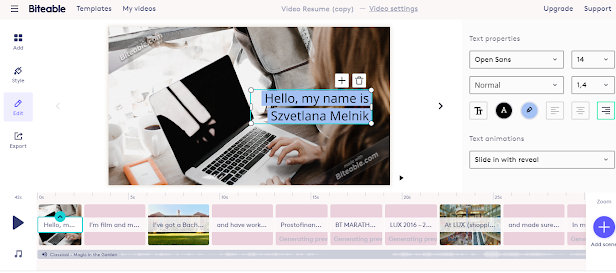
https://biteable.com/watch/3168322/4989dfc26f667d1af73426f066ba533b I have carried out video creation with tool - Biteable in which it is easy to add scenes, change text and music as well as background. It turned out a creative video about my life. I recommend using this tool if you need to create videos for social networks such as Youtube, Instagram or Tik-Tok.
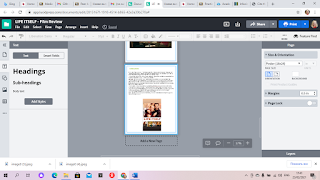
I continue to work on my project. I wrote an article, now I want to add it to Lusidpress.com. To do this, click on the 'T' button on the left and select one of the texts that fits the font size. After that I click on it and drag it to the blank form. To incert an image, click on the 'Incert ' button on the top panel, load the image from a computer or the Internet, and then click on the fifth icon from the left to select the desired image and also drag it to the form. Having successfully placed the text and images, save and download the document in PDF format.To do this, press the button File - Download as - PDF - Download.


You have not taken these images in class and have not completed the exercise. Please work on this and add your professional portraits to your blog with EXIF details and technical commentary.
ReplyDeleteTry to create a new portrait and add to the page anyway any of these if you prefer
ReplyDeleteI think that 2 is good!